
Notta: The AI Note Taker That Turns Every Meeting Into Searchable Knowledge
An AI meeting notetaker that transcribes in 58 languages, summarises decisions, and turns recordings into slides, infographics and searchable insight.
An AI meeting notetaker that transcribes in 58 languages, summarises decisions, and turns recordings into slides, infographics and searchable insight.
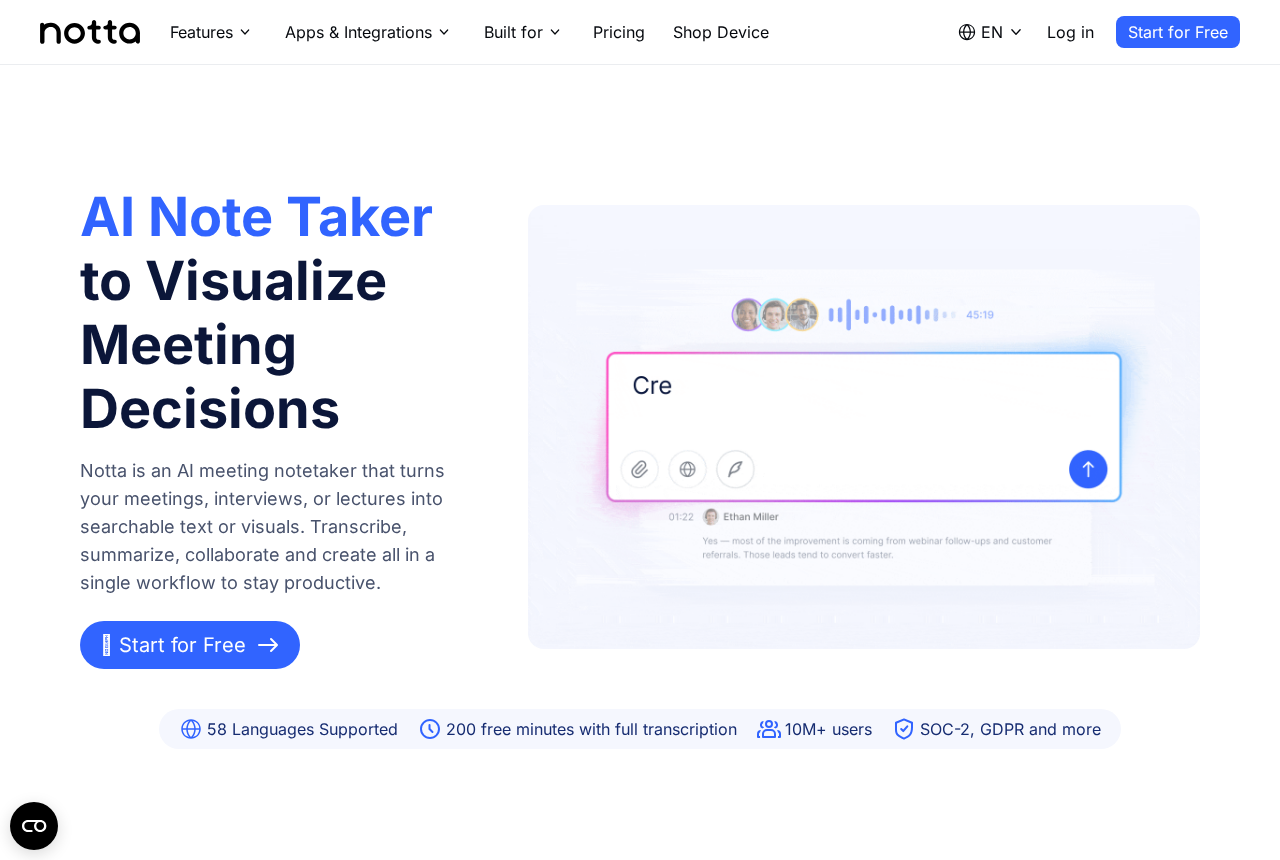
Every team has the same unpaid job: somebody has to write down what was decided. That person spends the meeting half-listening, typing fragments, and afterwards spends another twenty minutes turning fragments into something a colleague can read. Notta's pitch is to delete that job entirely. It is an AI meeting notetaker that turns meetings, interviews and lectures into searchable text or visuals — transcribe, summarise, collaborate and create in a single workflow. You join the call, Notta joins with you, and by the time people say goodbye the transcript already exists with speakers separated, timestamps attached and the decisions pulled out into a summary at the top. The difference is not just typing speed. A human notetaker records what they managed to catch; an AI notetaker records everything and then lets you decide, later and calmly, which parts mattered. That inversion is the whole product: notes stop being a bottleneck during the meeting and become a searchable archive after it.
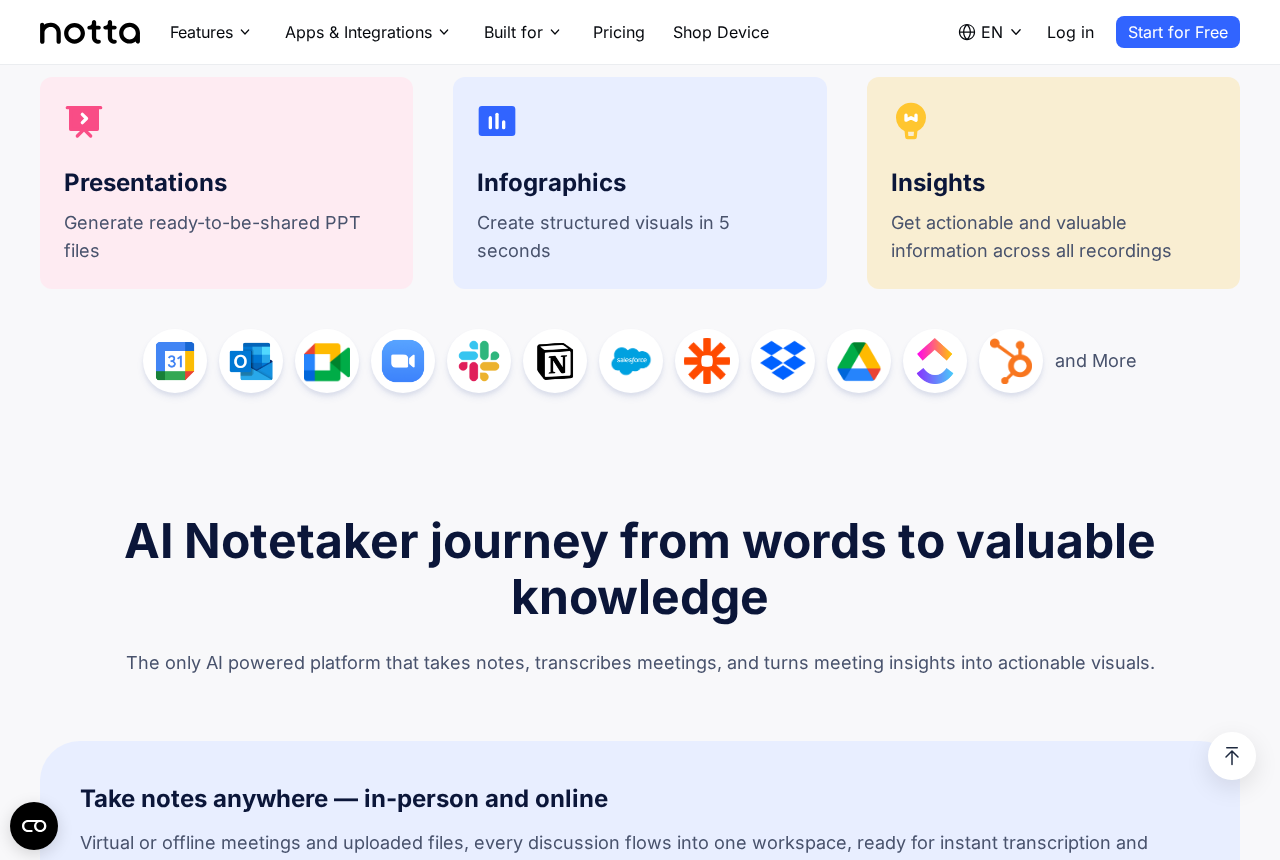
The part that separates Notta from a plain transcription tool is what happens after the audio ends. The site calls it the journey from words to valuable knowledge, and in practice it means three output shelves sitting next to the transcript: presentations, generating ready-to-share PPT files; infographics, building structured visuals in about five seconds; and insights, surfacing actionable information across all your recordings rather than one file at a time. That last one is quietly the most useful. Any tool can summarise a single call. Very few can answer a question like what did the client keep objecting to across the last six calls, because that requires the whole archive to be indexed and queryable. Notta also plugs into the calendar and workspace stack most teams already run — Google Calendar, Outlook, Google Meet, Zoom, Slack, Notion, Salesforce, Zapier, Dropbox, Google Drive, HubSpot and more — so the note lands where the work already lives instead of in a separate app nobody opens twice.
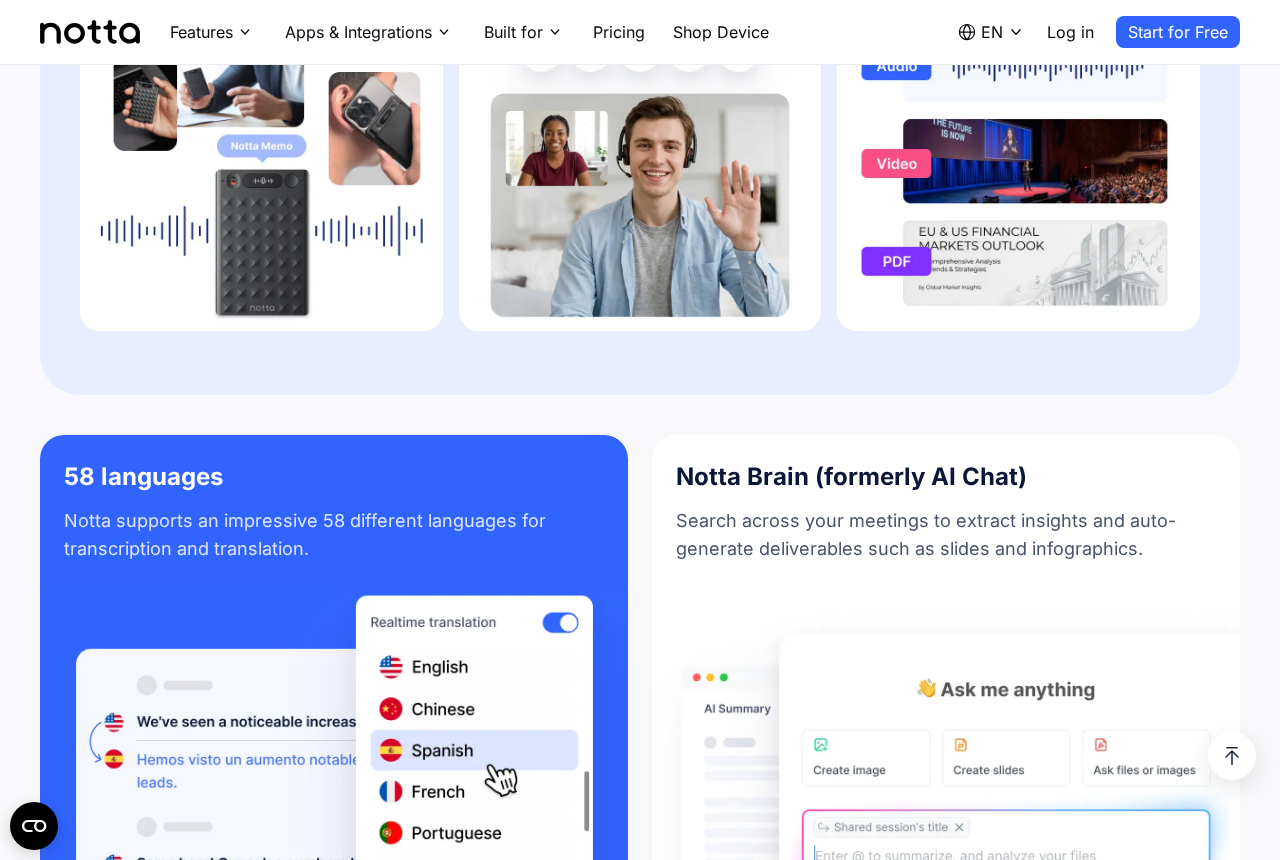
Notta supports 58 languages for transcription and translation, with realtime translation you can toggle mid-conversation — English to Spanish, Chinese to English, and so on, rendered line by line under the original. For anyone running cross-border calls this is the feature that decides whether a tool is usable at all: a transcript in a language half the room cannot read is an archive nobody consults. Alongside it sits Notta Brain, formerly AI Chat, which searches across your meetings to extract insights and auto-generate deliverables such as slides and infographics. You ask it a question in plain language — what did we promise the customer, who owns the follow-up, summarise every mention of pricing — and it answers from the recordings rather than from a generic model's imagination. Notes are taken anywhere too: virtual calls, in-person conversations through the phone app or the Notta Memo recorder, and uploaded audio, video or PDF files all flow into the same workspace.
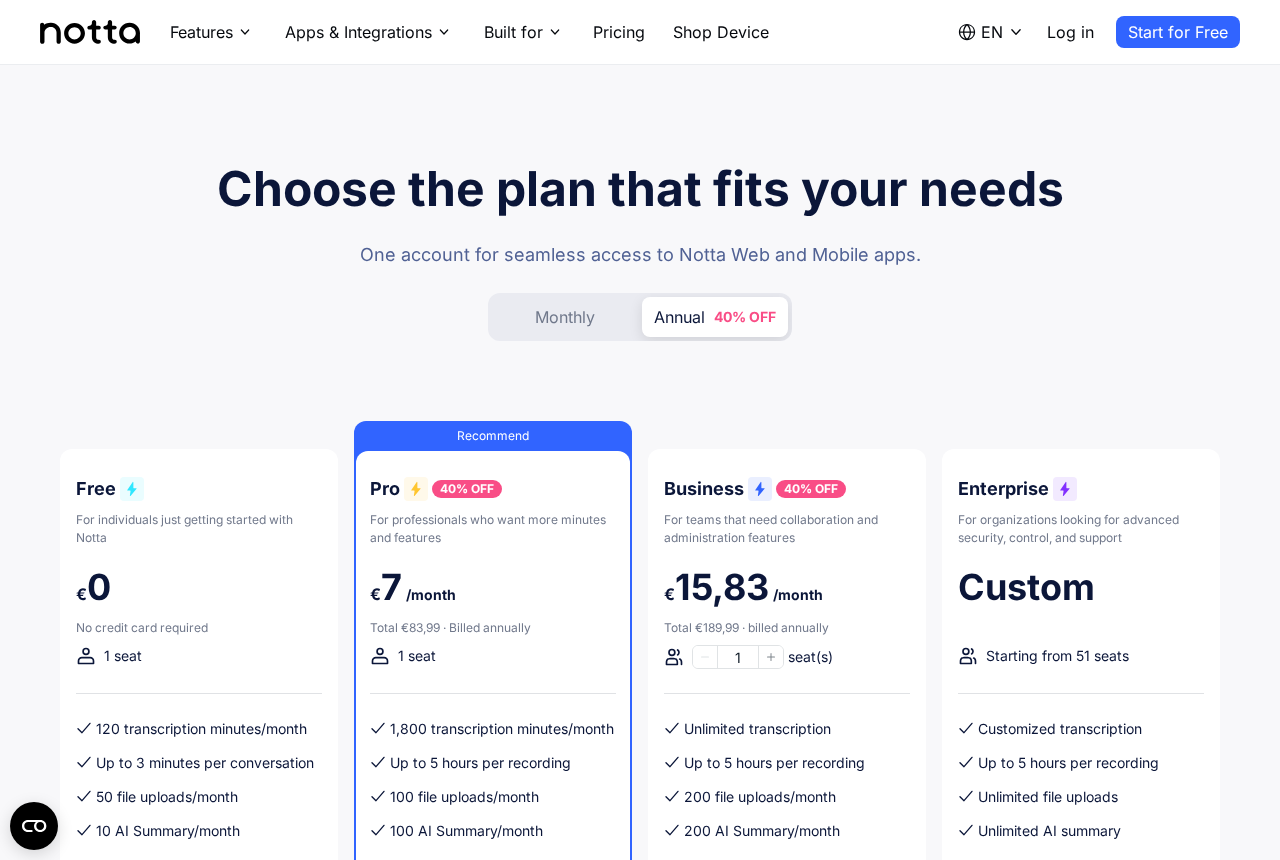
Pricing is four tiers and the free one is genuinely usable rather than a demo. Free costs nothing, needs no card, and gives one seat 120 transcription minutes a month, up to three minutes per conversation, 50 file uploads and 10 AI summaries — enough to test the tool on real meetings before deciding. Pro, the recommended plan, runs about €7 a month billed annually (€83.99 for the year, 40% off the monthly rate) and lifts you to 1,800 transcription minutes a month, recordings up to five hours, 100 file uploads and 100 AI summaries. Business is around €15.83 a month per seat billed annually with unlimited transcription, 200 uploads and 200 summaries plus the collaboration and admin controls a team needs. Enterprise is custom, starts at 51 seats, and adds unlimited everything with advanced security and support. The honest read: solo users should live on Free until they hit the 120-minute wall, then Pro is the obvious jump; teams should skip straight to Business, because unlimited transcription is the line where you stop rationing the tool.
The clearest wins are the jobs where the record is the deliverable: sales calls that need a follow-up email within the hour, user interviews that need quotes pulled cleanly, clinics and consultancies where documentation eats the day, and students turning lectures into revision notes. Notta cites more than 10 million users and SOC-2 and GDPR compliance, which matters the moment you point a recorder at a client conversation — ask before you record, and check your local consent rules, because the tool being compliant does not make your recording lawful by itself. A sensible first week: connect your calendar so Notta joins meetings automatically, run it on five real calls without changing how you work, then compare its summaries against what you would have written. If the summaries are close enough to send with light edits, the 120 free minutes have already paid for the decision. Start on the free tier through the link, and only upgrade when the minute counter, not the marketing, tells you to.
Plans, free minutes and language coverage are set by Notta and can change at any time.